Anonymous Apex
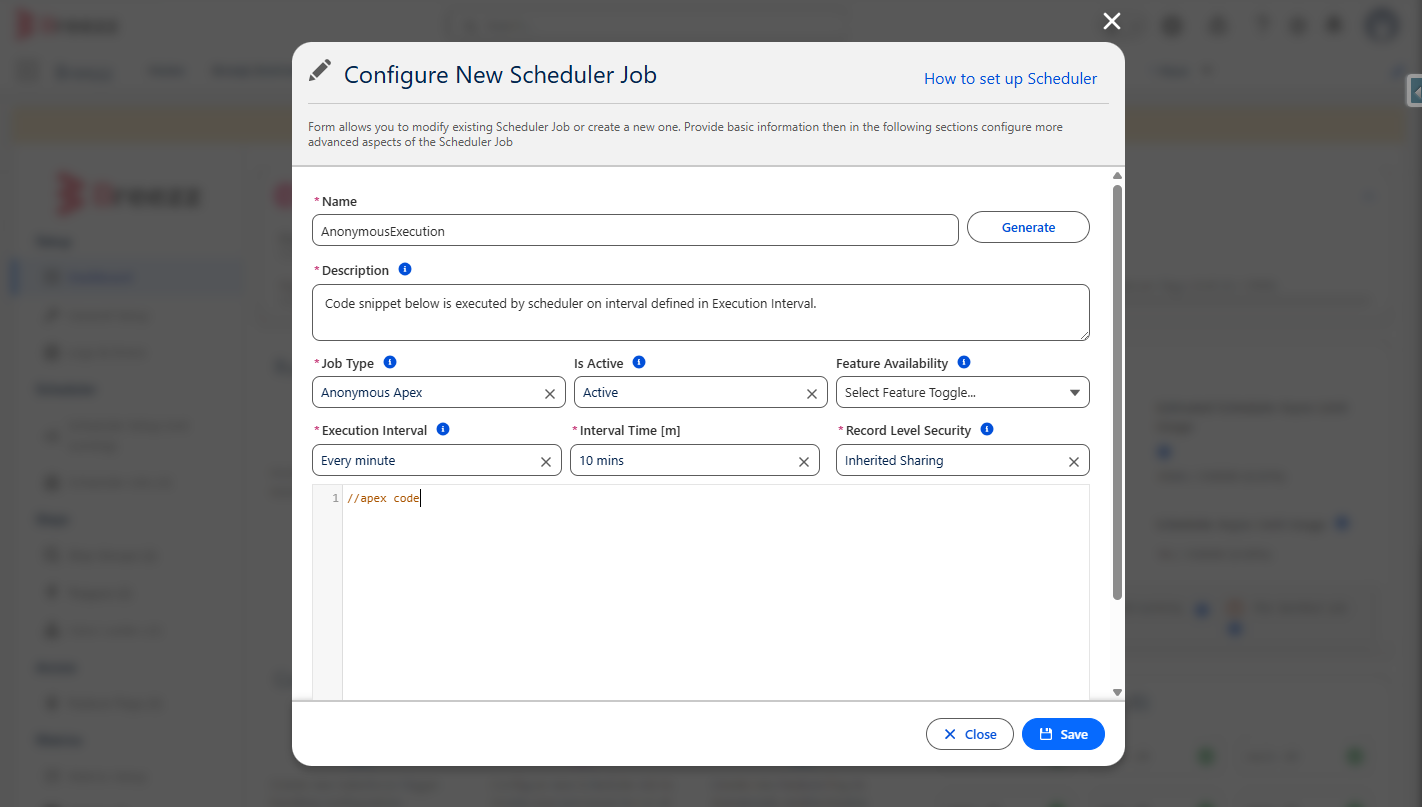
The Anonymous Apex scheduler job is designed to execute a specified snippet of Apex code within the Anonymous execution context.
Step 1: Register the Scheduler Job
To register and configure a new Scheduler Job, navigate to Breezz Setup → Scheduler Jobs and click New.
Step 2: Verify the Scheduler Job
To confirm that the scheduler was created successfully, navigate to the App Launcher → Breezz → Breezz Scheduler Jobs.
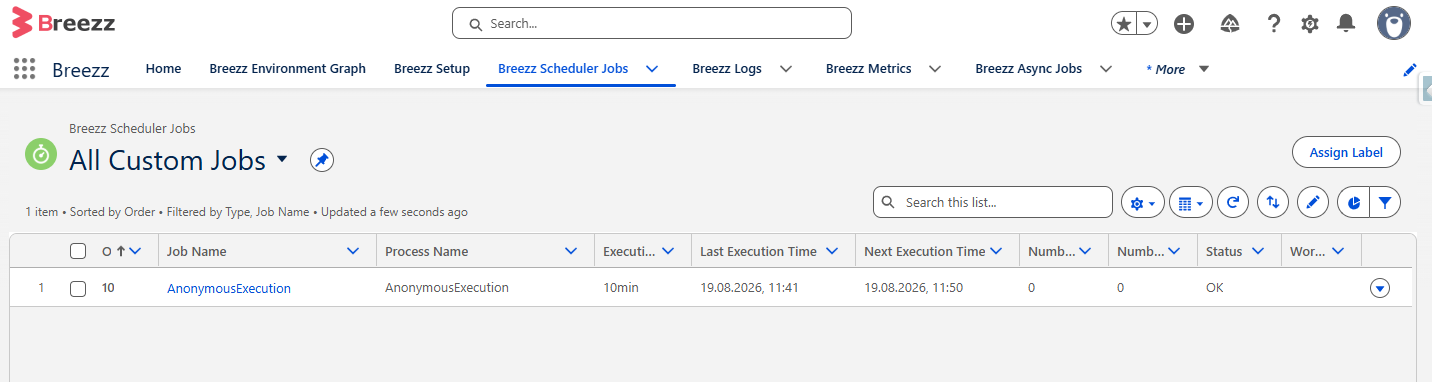
You should see a new record in the Scheduler Jobs list populated with the configuration data you provided. The record will also display system-calculated timestamps for the last and next execution dates.